Ultimate Guide to 12 Cuisinart Coffee Maker Manual Tips
Most Cuisinart coffee maker problems aren’t actually broken machines — they’re a handful of well-known quirks (clock resets, clean-light triggers, water buildup) that have straightforward fixes once you know what to check. Here are 12 practical tips for getting the most out of your machine’s manual and troubleshooting the most common issues yourself before assuming you need a replacement.
Getting Started: Find the Right Manual
1. Find Your Exact Model Number First
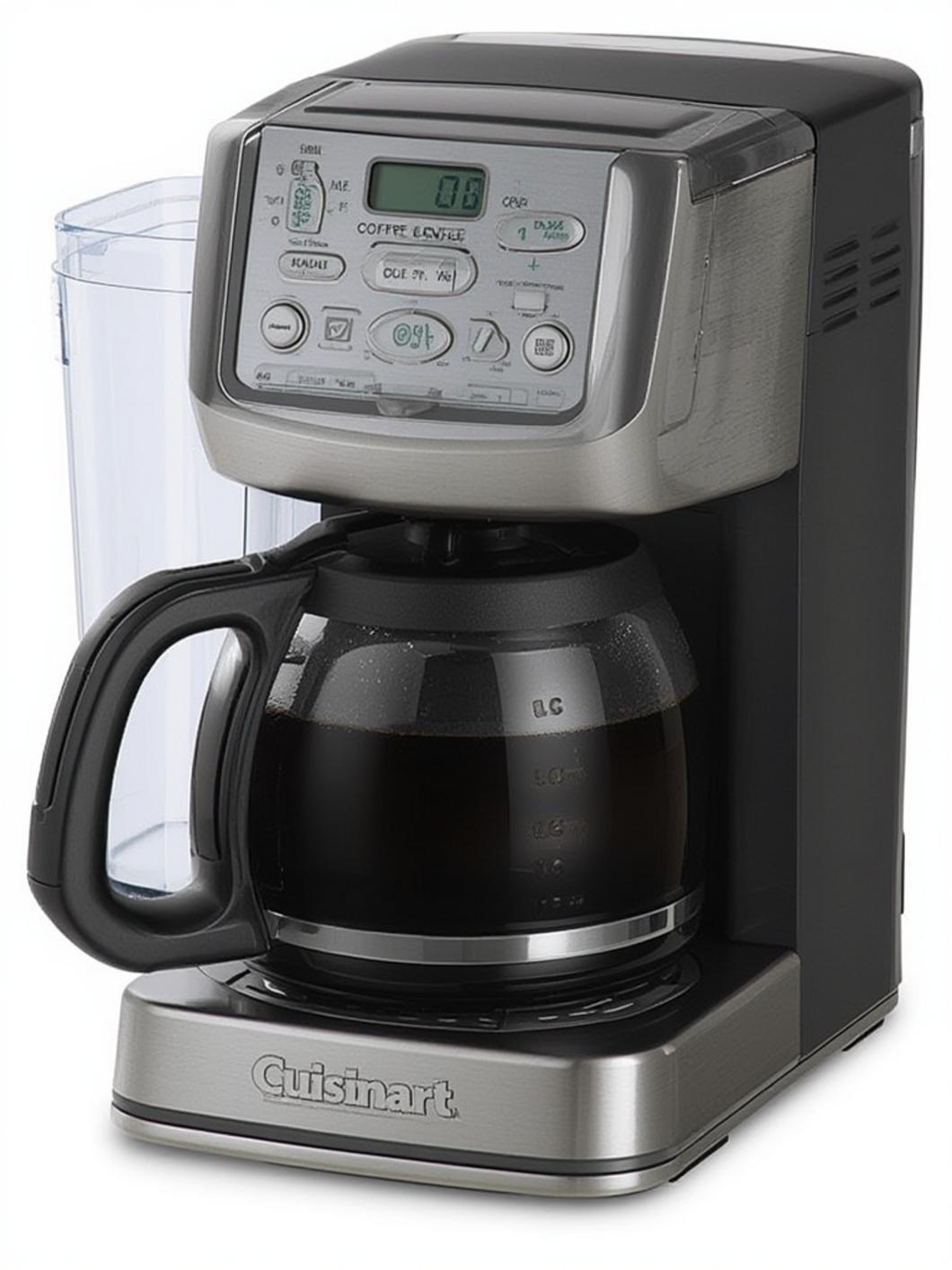
Cuisinart’s coffee maker lineup includes dozens of models — DCC-3200, DCC-1200, DCC-450BK, DGB-900BC, and many more — and buttons, cycles, and settings vary between them. The model number is printed on a label on the bottom or back of the machine. Find it before searching for troubleshooting steps, since a fix for one model may not apply to another.
2. Download the Correct Manual from Cuisinart Directly
Once you have your model number, download the PDF manual from cuisinart.com rather than relying on a generic troubleshooting article — the manual will have the exact button sequence and light patterns for your specific machine.
Common Symptoms and What They Actually Mean
3. Reset the Clock After Any Power Interruption
On most programmable Cuisinart models, the internal clock resets to 12:00 after a power outage or if the machine is unplugged. This is the single most common cause of a scheduled brew that never happens — reset the clock and reprogram your brew time before assuming anything else is wrong.
4. Confirm the AUTO Light Is Actually On
After programming a scheduled brew time, check that the AUTO indicator light is lit before walking away. If it isn’t illuminated, the scheduled brew was never armed and won’t happen, even if the time was entered correctly.
5. Diagnose a Blinking Clean Light
The clean light triggers when the machine senses mineral buildup has reached a certain level. Run a full descaling cycle with a vinegar-water mixture or a commercial descaling solution, followed by one or two rinse cycles with plain water. If the light stays on after one cycle, it’s common to need a second cleaning cycle back to back before it clears.
6. Fix a Machine That Won’t Brew
If the machine won’t start brewing at all, check three things in order: the water reservoir is actually filled, the brew basket is fully and correctly seated (many models won’t brew if it’s even slightly askew), and the carafe is properly positioned on the warming plate, since some models use a sensor there to detect the carafe before allowing the brew cycle to start.
7. Understand Auto Shut-Off Behavior
Most Cuisinart machines automatically power off after a set period, which can look like a malfunction if you don’t know it’s a built-in feature. Check your manual for your specific model’s auto-off window before assuming the machine has failed.
Regular Maintenance That Prevents Most Problems
8. Descale on a Regular Schedule, Not Just When the Light Comes On
Waiting for the clean light to trigger means mineral buildup has already affected performance. Descaling roughly every 4 to 6 months (more often with hard water) keeps the machine brewing at full strength and can prevent the clean light from triggering unexpectedly.
9. Replace the Charcoal Water Filter on Schedule
If your model uses a charcoal water filter, replace it roughly every 60 days or 60 uses, whichever comes first. A spent filter stops removing chlorine and mineral taste from your water, which directly affects how the coffee tastes even if the machine is otherwise working perfectly.
10. Choose Between the Gold-Tone Permanent Filter and Paper Filters
Cuisinart’s gold-tone permanent filter is reusable and included with most models, but it lets slightly more fine sediment through than a paper filter. If you prefer a cleaner cup with less sediment, switch to paper filters; if you prefer to skip buying filters entirely, stick with the gold-tone filter and just rinse it after each use.
11. Check the Brew Basket Seating If Coffee Tastes Weak or Watery
A brew basket that isn’t fully seated can cause water to bypass the grounds too quickly, producing weak coffee even with a correct grounds-to-water ratio. Reseat the basket fully and confirm it clicks or sits flush before brewing again.
12. Contact Cuisinart Support Directly When DIY Fixes Don’t Work
If you’ve reset the clock, descaled the machine, and confirmed the basket and carafe are seated correctly and the problem persists, contact Cuisinart support directly at 1-800-726-0190 or through cuisinart.com — persistent issues after basic troubleshooting often point to a genuine hardware fault covered under warranty rather than something fixable with settings alone.
If a cracked carafe, worn filter basket, or a clean light that won’t clear turns out to be a hardware problem rather than a settings problem, see our Cuisinart coffee maker parts guide for exactly what to replace.
FAQs
Why does my Cuisinart coffee maker’s clock keep resetting?
This happens after any power interruption, including a brief outage or unplugging the machine. It’s normal behavior on most programmable models, not a defect — just reset the clock and reprogram your brew time.
How do I find my Cuisinart coffee maker’s manual if I lost the paper copy?
Find your model number on the bottom or back label of the machine, then search that exact model number on cuisinart.com to download the PDF manual.
How often should I descale my Cuisinart coffee maker?
Roughly every 4 to 6 months under normal use, or more frequently if you have hard water. Don’t wait for the clean light to force the issue.
My Cuisinart won’t stop beeping or blinking — what should I do?
Check your specific model’s manual first, since light and beep patterns vary by model. If basic steps (reseating the basket, checking the water reservoir, resetting the clock) don’t resolve it, contact Cuisinart support directly.